PearShow.
Sales and labels.
Tools for your show.
Organize captured Whatnot sales, prepare buyer hold tags, check imported shipments, and get AI selling guidance. Capture requires open seller pages in Google Chrome. Core plan: $19.99/month; optional add-ons cost extra. TikTok Live and Facebook Live capture are beta.
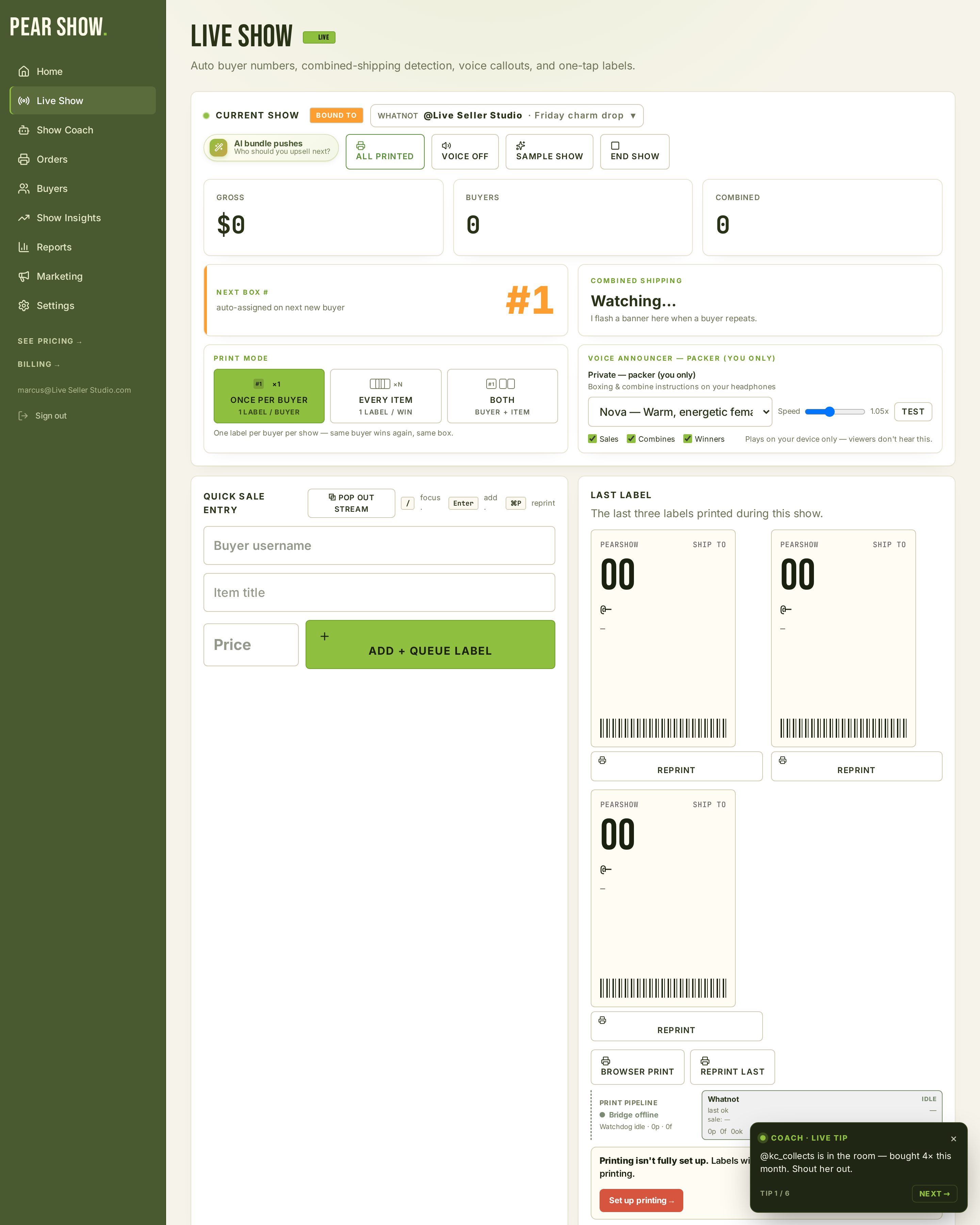
The operations cockpit live sellers wish they'd had on day one.
Capture, packing, printing and reporting tools share your recorded sales. Some tools require separately priced add-ons.
Sales captured for you
The Chrome extension sends detected sales from open seller pages to your dashboard. Whatnot is the primary platform; TikTok Live and Facebook Live capture are beta. Check your feed and sync status during a show.
Print-ready hold tags
Prepare fixed-size PDF hold tags with buyer, item, price and bin details. Silent printing requires a running, paired PearBridge helper. Test your chosen label size and printer before a live show.
An AI co-host in your corner
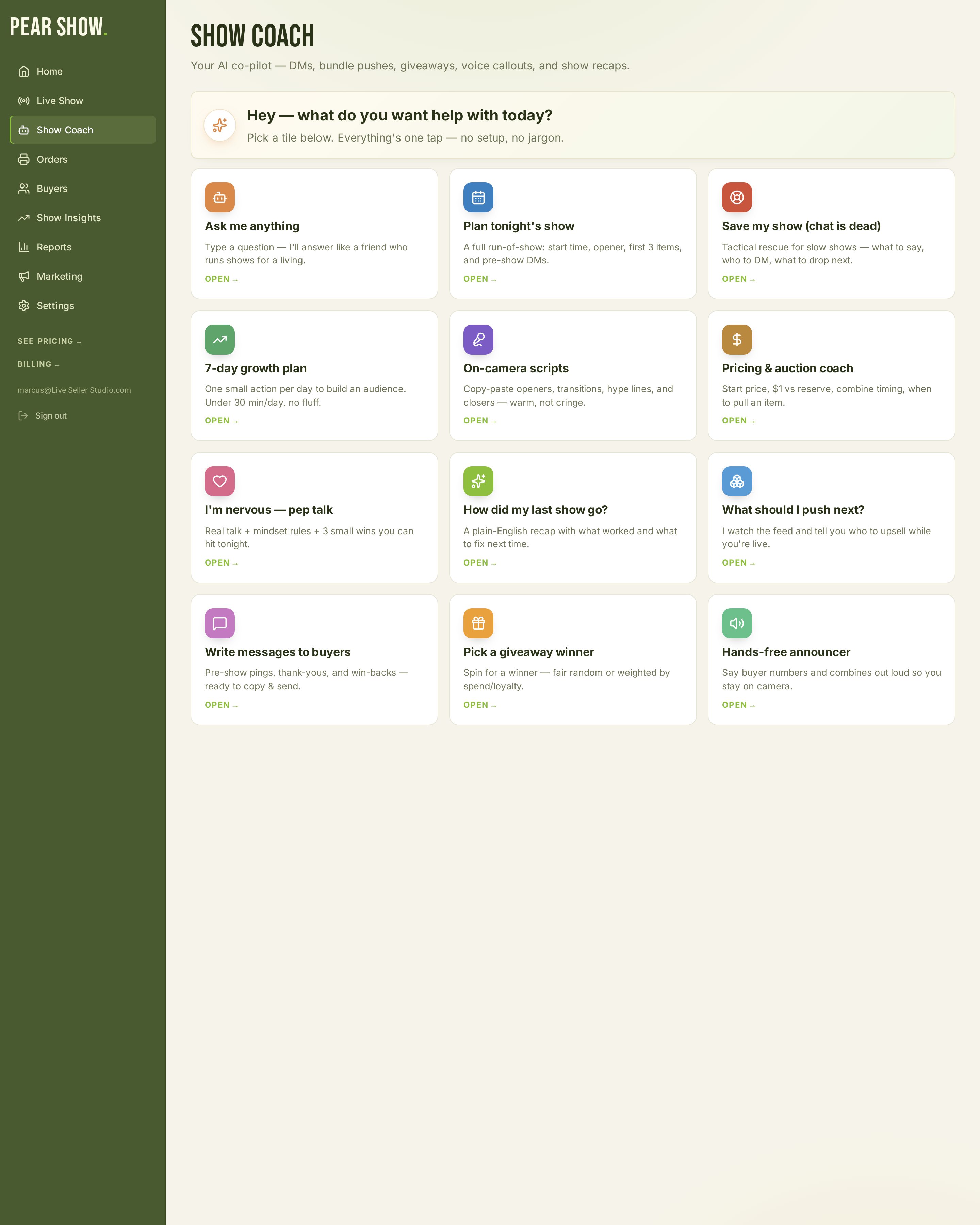
Live, on-screen tips while you sell — bundle ideas, buyers to shout out, when the room is cooling off — plus a full recap and a playbook for your next show.
Know your buyers cold
One Insights tab with overview, reports and store comparison: spend, repeat buyers, items and show trends from captured transactions. Totals reflect imported data, not necessarily your complete Whatnot account history.
Run more than one brand
Choose the store you are selling from. One store is included; additional stores cost $4.99 each per month and keep captured buyers, tags and history separate.
Turn viewers into a fan club
A fan page, opt-in audience list and gift sign-ups. Marketing & PowerSeller costs $4.99/month extra and currently requires admin activation; purchase alone does not enable access.
More tools for your workflow.
Scan the label. Pack the bag.
Look up imported shipments by tracking barcode and check recorded items as you pack. Available items and photos depend on the shipment and order data captured.
Answer chat while you sell
Handles the repeat FAQs — 'how much is shipping?', 'do you combine?', 'when's the next show?' — and surfaces the questions that actually need you.
A second-screen dashboard for your show
Pop out a live 12-column HUD to your second monitor: sales pace, top buyer, coach tips, giveaway countdown and recent payouts. 19 widgets, all toggleable.
Trigger giveaways that hit right
Set up a giveaway at a $ milestone, every Nth sale, or on demand. Fair random picker, on-screen reveal, winner captured to your fan list.
Your inventory, scan-ready
Import from Whatnot or upload a sheet. Manage imported inventory and barcodes. Stock is recorded only when the source provides a count; missing photos and quantities are not invented.
Three steps to your first show.
Create and confirm your account
Confirm your email, choose your store and complete checkout. Eligible new subscribers receive a 14-day trial with a card required.
Plug in your thermal printer
Run the PearBridge helper on Windows or macOS, pair it with its local code, and choose your printer and label size. Physical compatibility with your printer must be tested; no universal printer guarantee.
Connect and check your capture
Keep your Whatnot pages open in Chrome. Check that genuine sales reach the selected store and that a sample label prints correctly before relying on it during a show.
Explore PearShow.
Explore the available screens. Screenshots are interface previews, not current account data; marketing tools require admin activation.
Live sale feed with hold tags ready to print through PearBridge, plus Show Coach tips.
AI guidance grounded in your captured sales.
Ask Show Coach for selling tips, bundle ideas and show recaps using recorded sales and the selling playbook. Recommendations depend on available data and do not guarantee sales results.
- → Live on-screen tips while you're selling
- → Post-show recap with revenue mix and what to repeat
- → Bundle ideas from your recorded sales
- → Shout-outs surfaced for your top repeat buyers
- → Hype Coach + Auctioneer voice modes (en-US)
Core plan plus optional add-ons.
Core: $19.99/month. Marketing & PowerSeller: $4.99/month extra with admin activation. Extra stores: $4.99/month each. Applicable taxes and checkout currency conversion may affect the final total.
Pear Show
- ✓ Whatnot capture · TikTok/Facebook Live beta
- ✓ Hold tags with PearBridge printing (custom label sizes)
- ✓ AI Show Coach (recaps and tips)
- ✓ Buyer intelligence & show insights
- ✓ Label designer & reprint last 3
- ✓ 1 store · unlimited shows
+ Marketing & PowerSeller
Fan page, AI Chat Moderator and second-screen Cockpit HUD. Admin activation is currently required; paying for the add-on alone does not unlock these tools.
Learn more+ Extra Store
Run multiple brands or personalities through one Pear Show login. Each store keeps its own buyers, tags, and history.
Learn moreYour next show could be a lot smoother.
Eligible new subscribers: 14-day trial, card required. Cancel in Billing before renewal to avoid the next charge. Printing requires a paired helper and a tested printer.
Start free trial →